
Remote — the mixer on a tablet
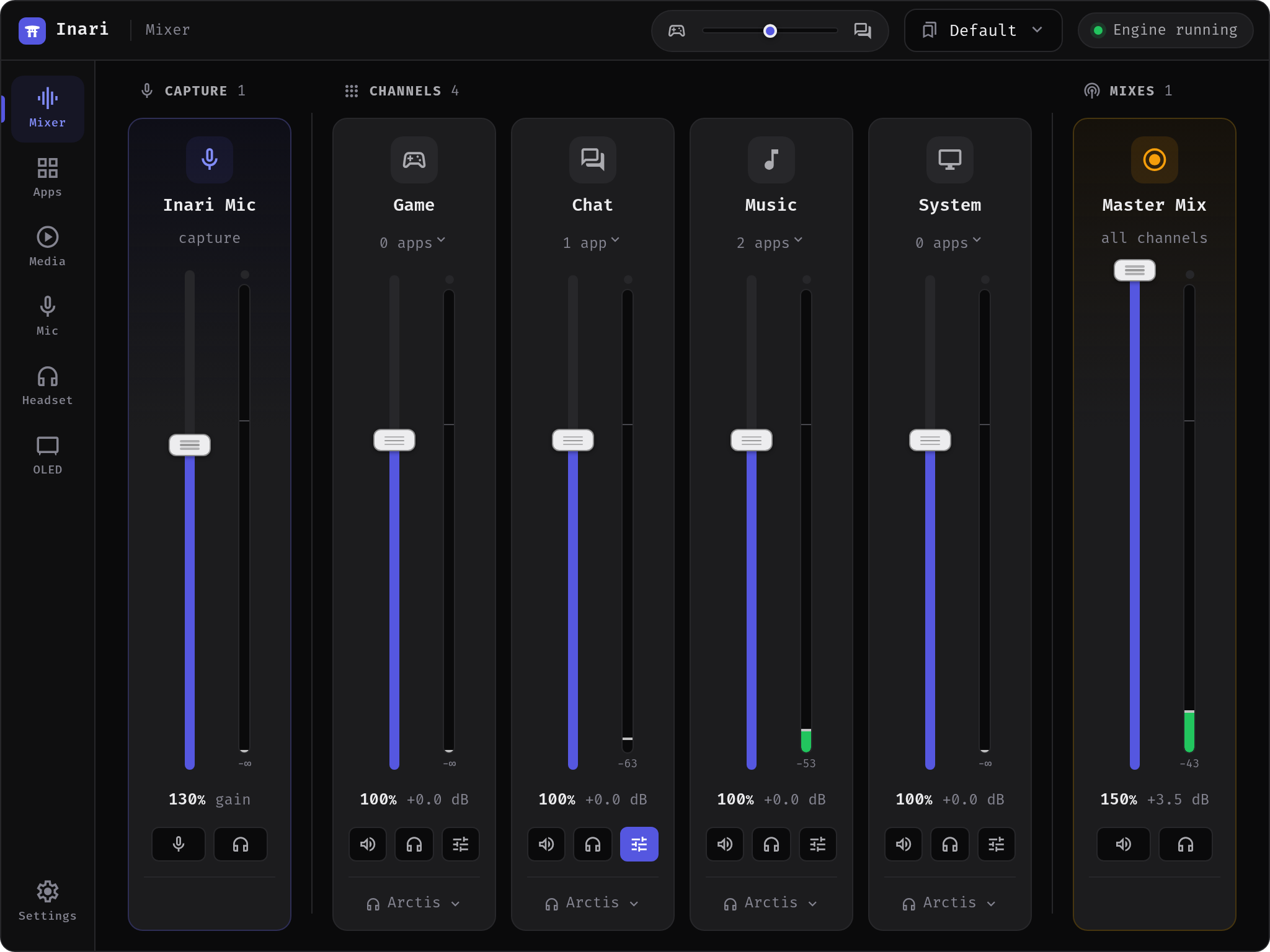
Inari can serve its own interface over HTTP so a tablet propped next to the keyboard drives the mixer by touch while a game has the screen. It is the same interface, not a cut-down companion app: the React bundle is identical and only the transport differs — a WebSocket instead of the desktop window's internal bridge.
It is off, and it is on loopback
Out of the box the remote is disabled and its listen address is 127.0.0.1 — which reaches this machine and nothing else. Putting a mixer on a Wi-Fi network is a decision you make in two explicit steps (turn it on, then widen the address), never something that happens because you installed an update.
Turn it on
Settings → Remote.
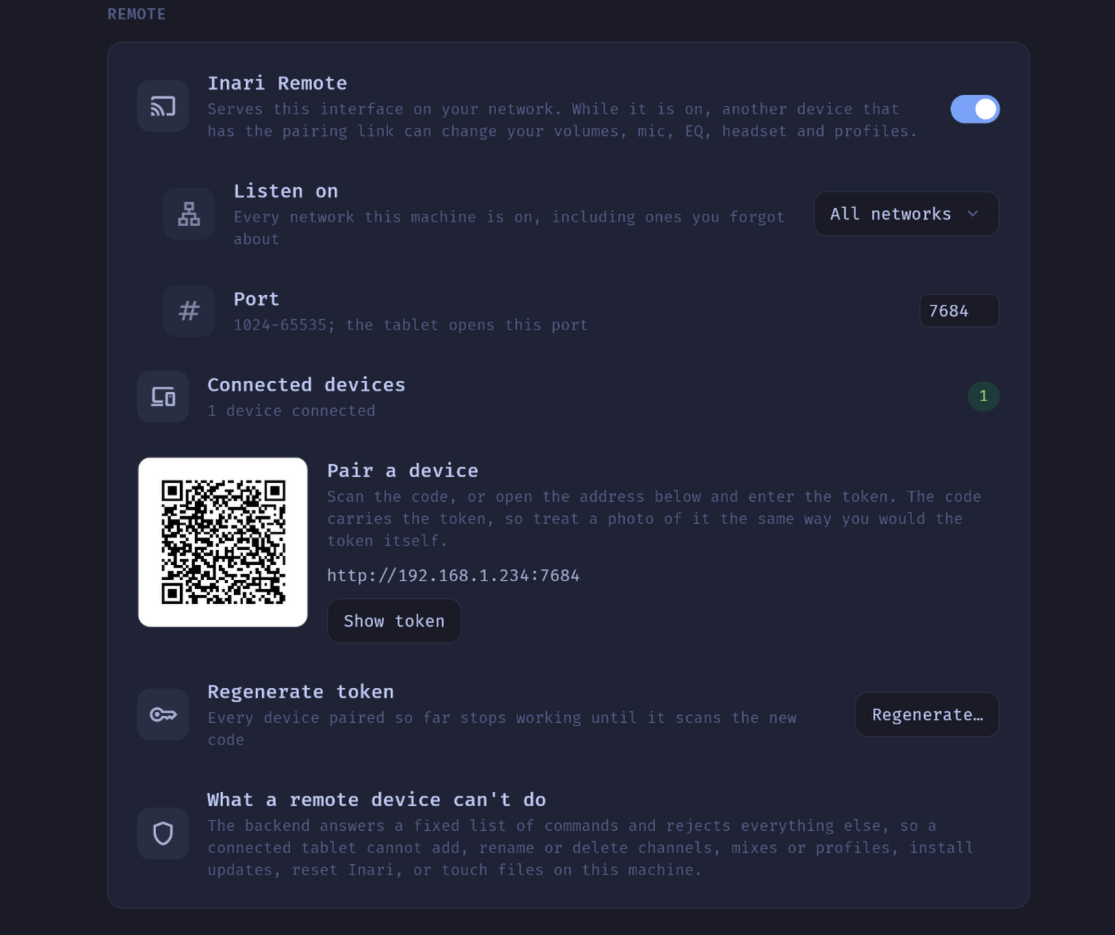
- Inari Remote — the switch. Off until you flip it.
- Listen on — where the listener binds:
- Loopback (
127.0.0.1, the default) — this machine only. Nothing on the network can reach it. - One entry per network interface — labelled with the kernel's interface name (
wlan0,enp5s0), because nothing short of asking NetworkManager knows it as "Wi-Fi". Devices on that network reach Inari at that address. - All networks (
0.0.0.0) — every interface at once, including ones you forgot about. Deliberately the last entry in the list.
- Loopback (
- Port —
7684by default; anything from1024to65535. Ports below 1024 need root and the listener does not have it.
If the bind fails — the port is already taken, the interface went away — the switch goes back to off and says why. The "enabled" state is only written to disk once something is actually listening, so a broken setup is not retried on every launch.
Pair a device
While the remote is running, Settings shows a QR code, the address, and the token behind a Show token button.
- Scan the code with the tablet's camera. It encodes
http://192.168.1.40:7684/#token=…. The token rides in the URL fragment, which browsers never send to the server — so it stays out of access logs. The page reads it once, stores it locally and strips it from the address bar. - Or type the address into the tablet's browser and paste the token.
The QR carries the token, so treat a photo of it exactly as you would treat the token itself. Connected devices shows how many clients are attached (re-read every three seconds).
What a tablet can do — and what it can't
The desktop UI can invoke 121 backend commands. The remote reaches an explicit positive list: a command that is not named in src-tauri/src/remote/allowlist.rs is rejected before anything is dispatched, and that list is a compile-time constant no client can influence.
Reachable from the tablet
| Area | What |
|---|---|
| Mixer | Channel volume and mute, app volume, moving an app to a channel, monitoring, output device and failover per channel |
| Mixes | Volume, mute, membership, exclude mode |
| Microphone | The whole mic chain config |
| Equalizer | Per-channel EQ, saving and deleting your own presets, import/export as text |
| Headset | Sidetone, mic volume and LED, ANC, transparency, auto-off, gain, wireless range, line out, hardware EQ |
| OLED | Modes, rotation, text, clips, brightness, timers, notification duration |
| Media | Play/pause, next, previous, seek — see Media |
| Profiles | Switching to a saved profile |
| Balance | The ChatMix-style balance slider and its two channels |
Not reachable, on purpose
- Updates.
apply_updateends inpkexec apt-get installas root. Nothing on the Wi-Fi gets to install packages on your PC. - Factory reset, autostart, and the audio chain's own init/teardown.
- Anything that takes a filesystem path — importing or exporting an EQ file, playing a media file on the OLED. The text-in/text-out EQ variants are on the list; the
_fileones are not. - Anything that spawns a process or writes system config — opening a URL or the log directory, notification mirroring, the ALSA headroom fragment.
- Every structural change. Creating, renaming, reordering or deleting a channel, a mix or a profile, and renaming or forgetting an app. A mis-tap on a touchscreen must not rebuild someone's mixer. Curating the board stays at the desk; operating it does not.
- Mouse settings and hotkeys — both are properties of the PC, not of the tablet. The Mouse tab is simply absent in the browser rather than present and refusing.
- The remote's own settings. A paired tablet is talking through this server; re-binding or re-keying it from there could only ever lock itself out.
Controls that are denied are hidden in the browser rather than left to fail in your hand — a test in the repository fails the build if the two ever drift apart.
Security, plainly
The token is the only thing between the allowlist and everyone else on that network. It comes from the OS random source (32 bytes, hex), lives in its own 0600 file at ~/.config/inari/remote-token rather than in prefs.json, is compared in constant time and is never written to the log.
The token crosses the network in the clear
The connection is plain HTTP. A browser cannot set headers on a WebSocket handshake, so the token travels as a query parameter, and there is no certificate to be had for a bare LAN address like 192.168.1.40. Anyone able to observe traffic on that network can read the token and gets the same access your tablet has.
This is a property of this version, not an oversight. Self-signed TLS is the next step, and the socket moves to wss:// in the same change. Until then: use the remote on a network you control, and leave it off on public, guest or shared Wi-Fi.
Even with the token, a client only reaches the allowlist above — so the worst case is someone changing your volumes, not touching your files or installing software.
Cutting devices loose
Settings → Remote → Regenerate token. A fresh token is minted and the server is restarted, so devices holding the old one are dropped immediately rather than lingering until they happen to reconnect. Every paired device has to scan the new code before it works again. That is the point of the button when a tablet is lost or lent out.
Fixed in v1.0.13
This used to be able to fail with "Address already in use" and leave the remote switched off: the old server was told to stop and the new one bound the same port immediately, without waiting for the listener to actually close. On an idle machine the teardown almost always won the race; under load it lost between a quarter and two thirds of the time — which is exactly when you reach for the tablet. Changing the bind address and the enable toggle went through the same path. Stopping now waits for the server to be gone.
One tablet cannot stall the others
Answers to remote commands are bounded by a small pool of slots shared by every connected device. Before v1.0.13 a slot was held not just while the command ran but while its answer was handed to the socket — so a tablet that kept sending and stopped reading (a wedged page, a browser tab suspended mid-drag) could occupy every slot waiting on its own connection, and other devices stopped getting answers entirely. A client that will not read its replies is now dropped, and the idle timeout applies to a connection stuck in a write as well as one stuck in a read.
On the tablet
The remote page is a normal web page, so the browser's own Add to Home Screen (Safari on iPad, the equivalent in most Android browsers) gives you a launcher that opens it full-screen without browser chrome — which is what you want for a device that lives next to the keyboard. It still needs Inari running and the network reachable; nothing is cached for offline use.
A true installable PWA — the Android install prompt, an offline cache — requires HTTPS, so it arrives together with the certificate work above.
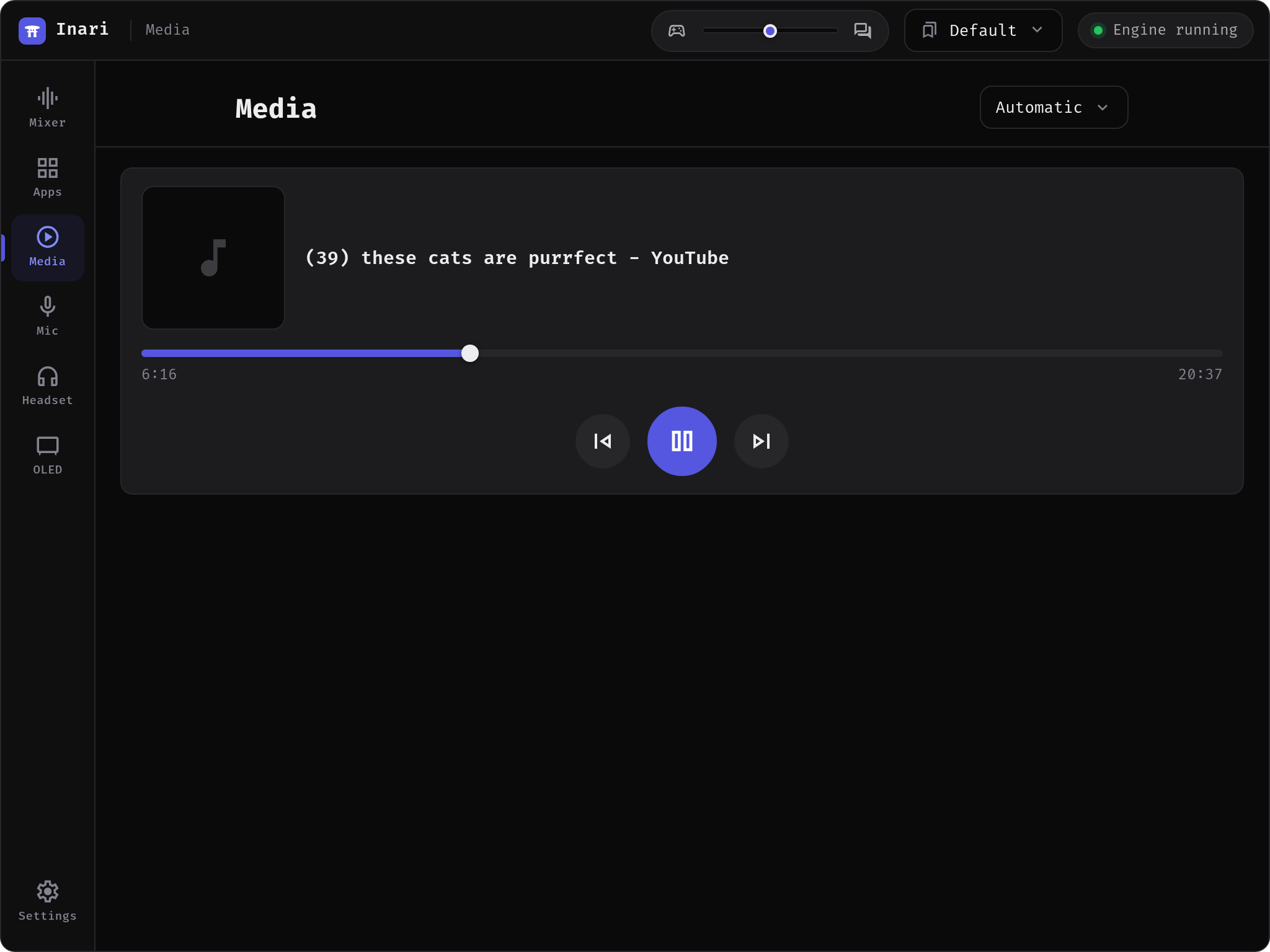
The Media tab works from the tablet too:
When it doesn't work
The tablet's browser never loads the page.
- Check Listen on. On Loopback nothing outside the PC can reach it.
- Check the firewall on the PC for the port you chose (
7684by default). - Check that both devices are on the same network. Guest networks and "client isolation" on a router block device-to-device traffic by design.
The page loads but says it cannot connect, or controls report "Not connected to Inari — reconnecting".
The socket dropped: Inari was closed, the PC went to sleep, or Wi-Fi roamed. The tablet retries on its own with backoff (up to ten seconds between tries) and immediately when the screen wakes or the network comes back. If it never recovers, confirm Inari is running and the switch is still on.
The tablet stopped working right after you regenerated the token.
That is the intended behaviour. The server closes those connections with a dedicated code so the tablet stops retrying instead of hammering a rejection every ten seconds. Scan the new QR code.
The switch turns itself back off.
The bind failed. Another program holds the port, or the interface you picked is gone (a USB Ethernet adapter unplugged, a VPN interface torn down). Pick another address or port.