
Media — what's playing, and the transport for it
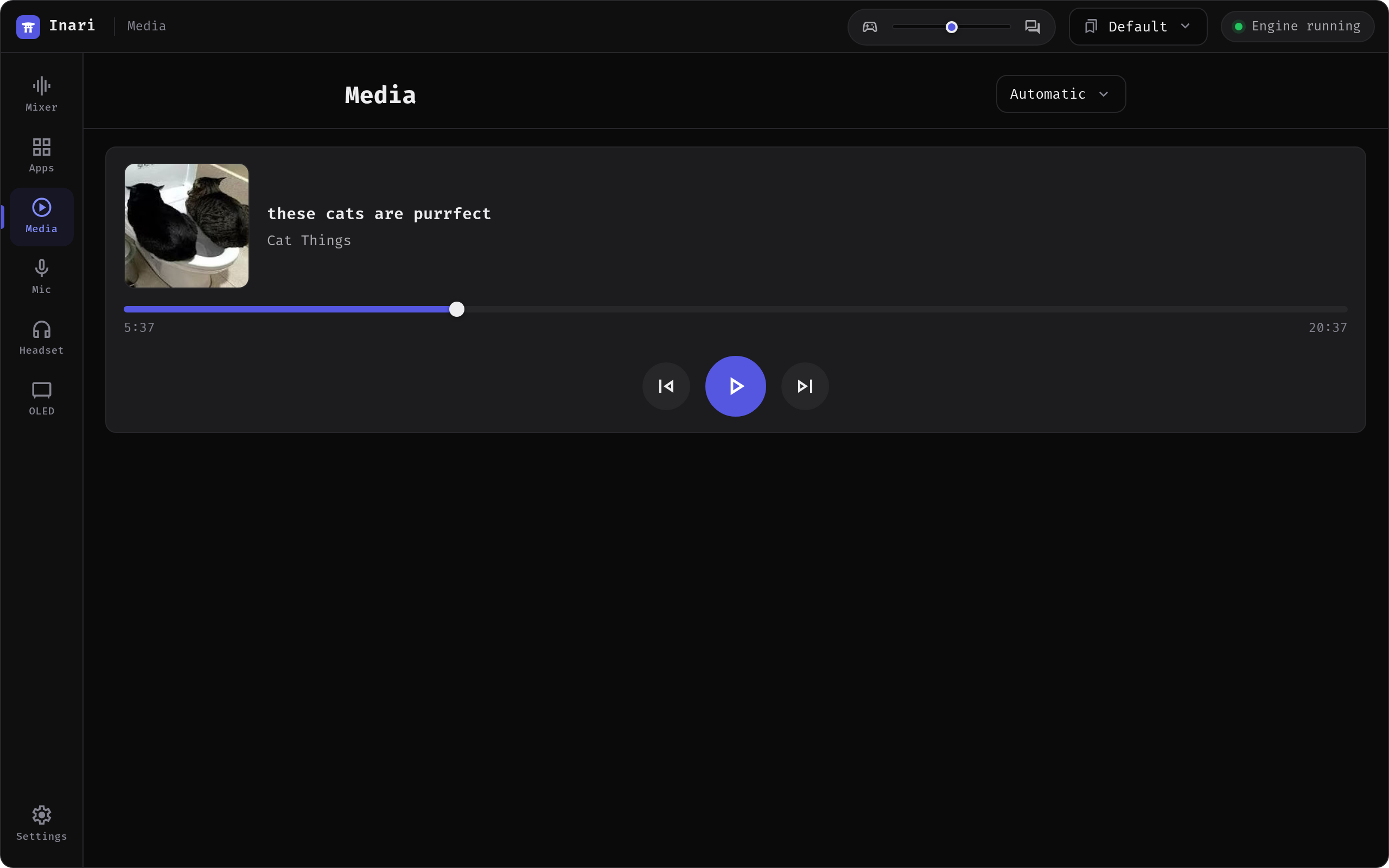
The Media tab shows the current track with its cover and gives you the transport: play/pause, previous, next and a scrub bar. It sits with the Mixer and Apps tabs rather than with the devices, because it is about playback and not about hardware — and it works from the tablet remote too, which is exactly where skipping a track without leaving the game is useful.
What it needs
Media control reads MPRIS through playerctl, the same source the OLED's Now playing and Album art modes already use. playerctl is an optional dependency and is not installed for you; see Optional dependencies for the package name on your distribution.
Without it the tab says so outright instead of sitting there looking broken. With it installed but nothing playing, you get an ordinary idle state — the two cases are told apart deliberately.
Anything that speaks MPRIS turns up: browsers, Spotify, VLC, your desktop's own media integration.
Picking a player
Several players on the bus at once is the normal case, not an edge case — two browser windows plus a music app plus the desktop's MPRIS bridge. playerctl otherwise picks one blindly, so a player picker appears in the header whenever more than one is live:
- Automatic — whatever
playerctlconsiders current. - A named player. Labels that collide (two Chromium windows are both
chromium) get their instance suffix back, so you can tell them apart.
The choice lasts for the session; it is not written to disk.
The progress bar
Status is polled once a second — every read is a playerctl process, so it is not polled faster. Between polls the position is advanced from the wall clock, so the bar moves smoothly instead of stepping once a second. It only advances while something is actually playing and never runs past a known track length.
Scrubbing sends the seek when you let go, not on every pointer movement. On a tablet the scrub track swallows the drag gesture so the browser cannot turn it into a page scroll halfway through.
A live stream reports no length. There is nothing to scrub along, so the bar is replaced by the elapsed time and a Live tag rather than by a control that cannot mean anything.
Polling belongs to the tab: it starts when you open Media and stops when you leave, so nothing keeps forking playerctl in the background.
Cover art
The cover is fetched only when it changes — the backend hands out a generation number with each status, and the image travels once per track instead of once per poll.
Art never travels as a filesystem path. mpris:artUrl is an absolute path chosen by whatever player is running, usually somewhere inside a browser's cache; handing that path to a client and taking it back would be an arbitrary file read wearing a cover-art costume. Instead the backend opens the file itself and returns the image, downscaled to at most 512 px on its longest edge and re-encoded as JPEG. Two consequences worth knowing:
- The file type is detected from the content, not the file name — browsers hand MPRIS extensionless temporary files, which a name-based decoder would miss.
- A cover hosted on the web (
http://…) is refused rather than fetched. A media poll must not turn into an outbound request you never asked for. You get the placeholder note icon instead.
From the tablet
Every media command is on the remote's allowlist, because none of them takes a path or spawns anything: player list, status, art, play/pause, next, previous and seek. See Remote for what else a paired device may do.
Related
- OLED display — the Now playing and Album art screens read the same source
- Remote — running this tab on a tablet