
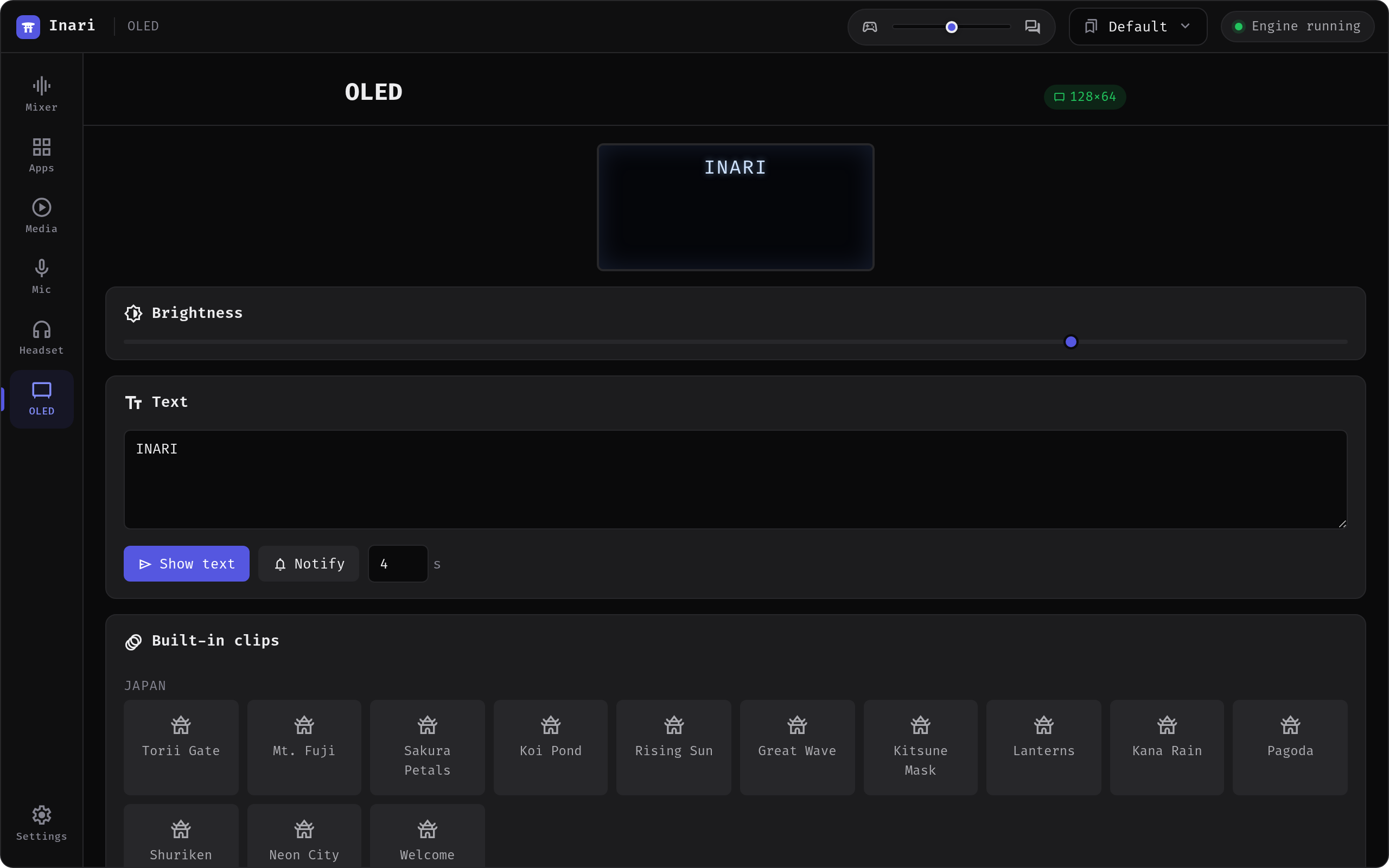
OLED — the base station's 128×64 display
Drive the Arctis Nova Pro base station's OLED directly. The tab shows a "display not supported on this device" state for models without a drivable panel.
The welcome splash
The first time a base station with a panel connects in a given Inari session, the OLED plays a short animation: a sun rises, the torii from the app icon assembles, the wordmark wipes in. It runs for about three seconds and then clears itself, so whatever you had configured resumes on its own.
It fires once per launch, not per connect — a base station that drops out mid-session doesn't reintroduce itself — and picking a mode or receiving a notification cancels it immediately, so it never delays you. Devices without a drivable panel never see it. It is also listed as the Welcome clip, so you can replay it without restarting.
Live modes
19 self-contained screens, shown one at a time or on a timed rotation. The picker groups them in five categories:
| Category | Modes |
|---|---|
| Audio | Headset · VU meters · ChatMix · Spectrum |
| System | System · CPU/GPU graphs · Network · Uptime & load · Temperatures |
| Media | Now playing · Album art |
| Clock | Clock · Clock (big) · Clock & date · Clock (analog) · Timer |
| Info | Weather · Mouse battery · Active apps |
There is also a context picker that chooses a screen from what is currently happening (playing audio, media metadata, sustained load, headset idle) instead of rotating on a timer.
Some modes need an external helper — see Optional dependencies. Without it the mode still appears in the picker but stays empty.
The Media modes read the same MPRIS data as the Media tab. Album art used to fall back to its NO ART placeholder for anything played in a browser, because the cover arrives as an extensionless temp file; since v1.0.9 the image is identified by its content instead of its file name and those covers show up.
Your own content
- Images, GIFs and video — scaled to 128×64 and Floyd–Steinberg dithered to 1-bit on the fly. Stills and GIFs decode in-process; video goes through the system
ffmpeg. - Text — up to four auto-sized lines.
- Built-in clips — 29 procedurally generated animations in three groups: Japan (Torii Gate, Mt. Fuji, Sakura Petals, Koi Pond, Kitsune Mask, Neon City, Welcome, …), Effects (DOOM Fire, Matrix Rain, Starfield, Plasma, Tunnel, Metaballs, Fireworks, Rain, Snow) and Demos (bouncing wordmark, wireframe cube, Game of Life, Flocking, Oscilloscope, Heartbeat, Pong). Nothing is bundled or downloaded — every frame is generated at runtime.
- Notifications — mirror desktop notifications to the panel, with scrolling for long text.
- SteelSeries UI — hand the panel back to the firmware at any time.
Why it needs a redraw loop
The base-station firmware continuously repaints its own UI, so a single frame gets overwritten instantly. Inari holds custom content by pushing frames continuously (~24 fps). See the Protocols reference.